
10 Tips for Choosing a Modular Desk Office
Choosing the right Modular Desk Office can transform a crowded room into a focused, adaptable workspace. Yet appearance should never lead the decision. A sleek desk may wobble, restrict legroom, or leave cables tangled beneath the surface. Measure twice.
This guide presents ten practical tips for evaluating modular desks with greater confidence. It considers dimensions, materials, adjustability, storage, cable management, lighting, and future expansion. Each detail matters. A desk measuring 120 centimeters wide may suit a laptop, but it can feel cramped beside a monitor and notebook. Strong steel supports, scratch-resistant surfaces, and stable connectors usually offer better long-term value than decorative features alone. Workplace design guidance also emphasizes neutral posture, clear movement, and suitable screen height.
Real offices often reveal problems that product photos hide. A sliding panel may catch on a power cable. A storage unit may block a chair from turning comfortably. Small flaws become daily frustrations. This is where careful comparison helps. Check load ratings, assembly instructions, warranty terms, and supplier reviews before purchasing. Independent ergonomic recommendations can provide useful direction, but personal needs still matter. A tall user, a hybrid worker, and a shared studio may require different configurations. The perfect setup may not exist.
Think beyond today. Modular furniture should adapt when equipment, team size, or room purpose changes. Leave room for revision. A thoughtful Modular Desk Office supports productivity without overwhelming the space, while reliable materials and sensible planning protect both comfort and budget.
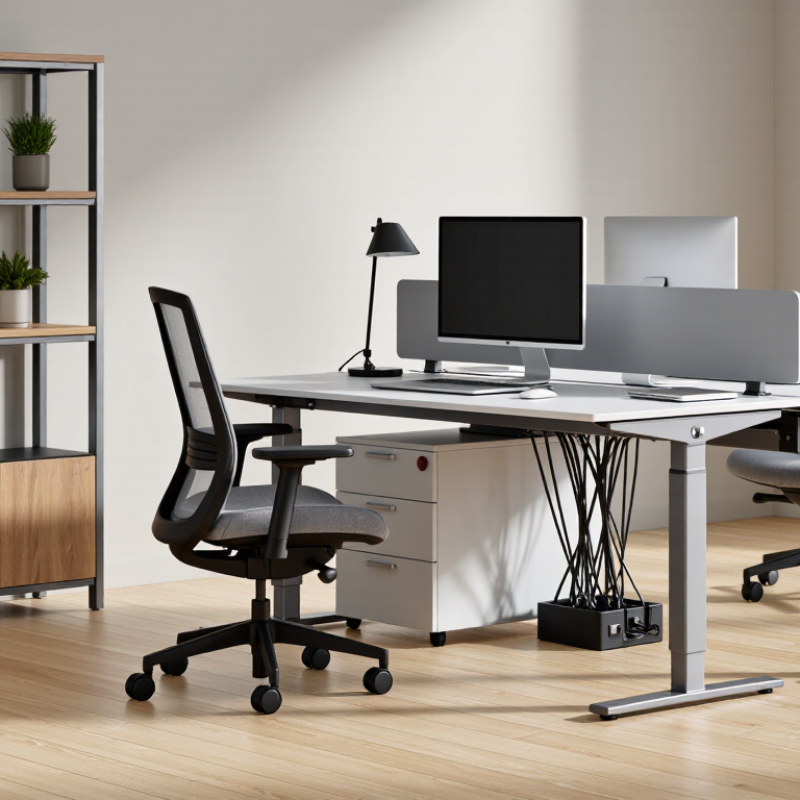
Define Your Workspace Needs and Daily Work Habits
A modular desk office should fit your real work, not an imagined routine. Track your habits for three days. Note when you write, join calls, review documents, or switch between screens. Measure the space around your chair, including walking paths and storage access. A desk that looks efficient can feel cramped by lunchtime.
Tip 1: Match the layout to your main tasks. Choose a wider surface for writing and device use. Add a separate module for files if paperwork regularly reaches the floor. Keep frequently used tools within one arm’s reach. Small details reduce repeated movement.
Tip 2: Respect your daily posture changes. If you alternate sitting and standing, check the desk’s height range and stability. Your elbows should rest near a right angle while typing. The screen should sit close to eye level. Test the arrangement with a real keyboard, notebook, and lamp. Showroom measurements can mislead.
Tip 3: Plan for tomorrow’s work, not only today’s equipment. Leave room for a second monitor, charging cables, or a project folder. Use modest cable management, because overly tight channels make adjustments frustrating. I once selected a neat, narrow setup that looked excellent but punished my shoulders after long editing sessions. That mistake changed my checklist. Comfort needs repeated testing, not confident guessing.
10 Tips for Choosing a Modular Desk Office - Define Your Workspace Needs and Daily Work Habits
| Tip | Workspace Dimension | Questions to Ask | Realistic Recommendation | Modular Feature to Consider | Why It Matters |
|---|---|---|---|---|---|
| 1 | Desk surface area | Will you use one monitor, multiple monitors, paper documents, or specialized equipment? | Choose at least 120 cm wide × 60 cm deep for a basic computer setup. Consider 140–160 cm wide for two monitors and paperwork. | Interchangeable desktop panels or attachable side surfaces | Enough surface area helps prevent crowded equipment placement and leaves room for normal working materials. |
| 2 | Monitor and viewing distance | Do you work on a screen for several hours each day? | Use a desk depth of approximately 70–80 cm when possible, with the monitor positioned about an arm’s length away. | Monitor arm, rear shelf, or adjustable screen rail | A suitable viewing distance allows the screen to remain readable without placing it too close to the face. |
| 3 | Daily work duration | Do you work at the desk for short sessions or most of the working day? | For extended computer work, prioritize a stable desk with adjustable height and adequate legroom. | Height-adjustable legs or a sit-stand frame | Changing posture during the day can reduce prolonged static sitting and support more flexible work habits. |
| 4 | Sitting height and leg clearance | Can your knees, feet, and chair move freely under the desktop? | Allow approximately 60 cm of clear width and at least 45 cm of clear depth beneath the desk; avoid fixed panels that restrict movement. | Open-frame legs, movable pedestals, or removable modesty panels | Clearance supports natural leg movement and makes it easier to position the chair correctly. |
| 5 | Equipment weight and stability | Will the desk hold monitors, speakers, storage units, or other heavy equipment? | Check the manufacturer’s stated load rating and select a frame designed for the total weight of the desktop and accessories. | Reinforced frame, crossbar, locking connectors, and adjustable feet | A stable structure helps reduce wobbling, especially when using monitor arms or frequently writing on the desk. |
| 6 | Cable management | How many power, display, network, and charging cables will be used every day? | Plan separate routes for power and signal cables, and leave access to outlets without moving the desk. | Under-desk cable tray, rear cable ports, vertical cable spine, or clip-on channel | Organized cables improve access, reduce snagging risks, and keep the work surface easier to clean. |
| 7 | Storage requirements | Do you need space for files, notebooks, reference materials, or personal items? | Use drawers or shelves for items needed daily, while keeping frequently used materials within easy reach. | Modular drawers, mobile pedestal, open shelf, or overhead storage module | Separating storage from the main work surface helps preserve usable desk space and reduce visual clutter. |
| 8 | Task switching and collaboration | Will you alternate between focused work, meetings, sketching, or shared tasks? | Choose a layout that can be expanded with a return, side table, or detachable meeting surface. | Reconfigurable corner unit, attachable return, folding extension, or movable table module | Modularity allows the workspace to adapt to different activities without replacing the entire desk. |
| 9 | Available room and circulation | How much space must remain for doors, drawers, chairs, and walking paths? | Measure the room first and leave enough clearance for the chair to move back and for nearby doors or cabinets to open fully. | Compact depth, corner configuration, rolling components, or foldable extension | Accurate measurements prevent blocked pathways and make the final arrangement easier to use. |
| 10 | Future changes and maintenance | May your equipment, room layout, storage needs, or working pattern change? | Select standardized, replaceable components and confirm that individual parts can be adjusted or replaced. | Interchangeable panels, reversible orientation, spare mounting points, and accessible fasteners | A repairable and reconfigurable desk can remain useful longer as work habits and equipment evolve. |